Оператор связи для бизнеса
Безграничные возможности современных телекоммуникаций для развития Вашего бизнеса
Подключиться скачать презентацию
Нам нравится решать сложные задачи. Мы действуем максимально оперативно и гибко в интересах Клиента.
Наша цель - показать, какие безграничные возможности развития бизнеса предоставляют вам современные телекоммуникации.
Подключиться

Мы используем оборудование ведущего мирового вендора CISCO и гарантируем качественные услуги с высоким коэффициентом доступности.


Более 1300 км собственной волоконно-оптической сети в СПб и Лен. области, построенной по кольцевой схеме, что обеспечивает дополнительную надёжность.


Наша главная ценность – это люди. В нашей команде – профессионалы с многолетним опытом работы в телеком-индустрии. Доверьте связь экспертам отрасли!


Мы понимаем, что IT инфраструктура каждого клиента уникальна, поэтому найдём лучшее техническое решение для вас.


Мы обеспечиваем техническую поддержку нашим клиентам круглосуточно. Среднее время ожидания ответа оператора не более одной минуты.


Мы дорожим своей репутацией и выполняем взятые на себя обязательства, гарантируя индивидуальный подход и внимательное отношение к каждому из вас.

















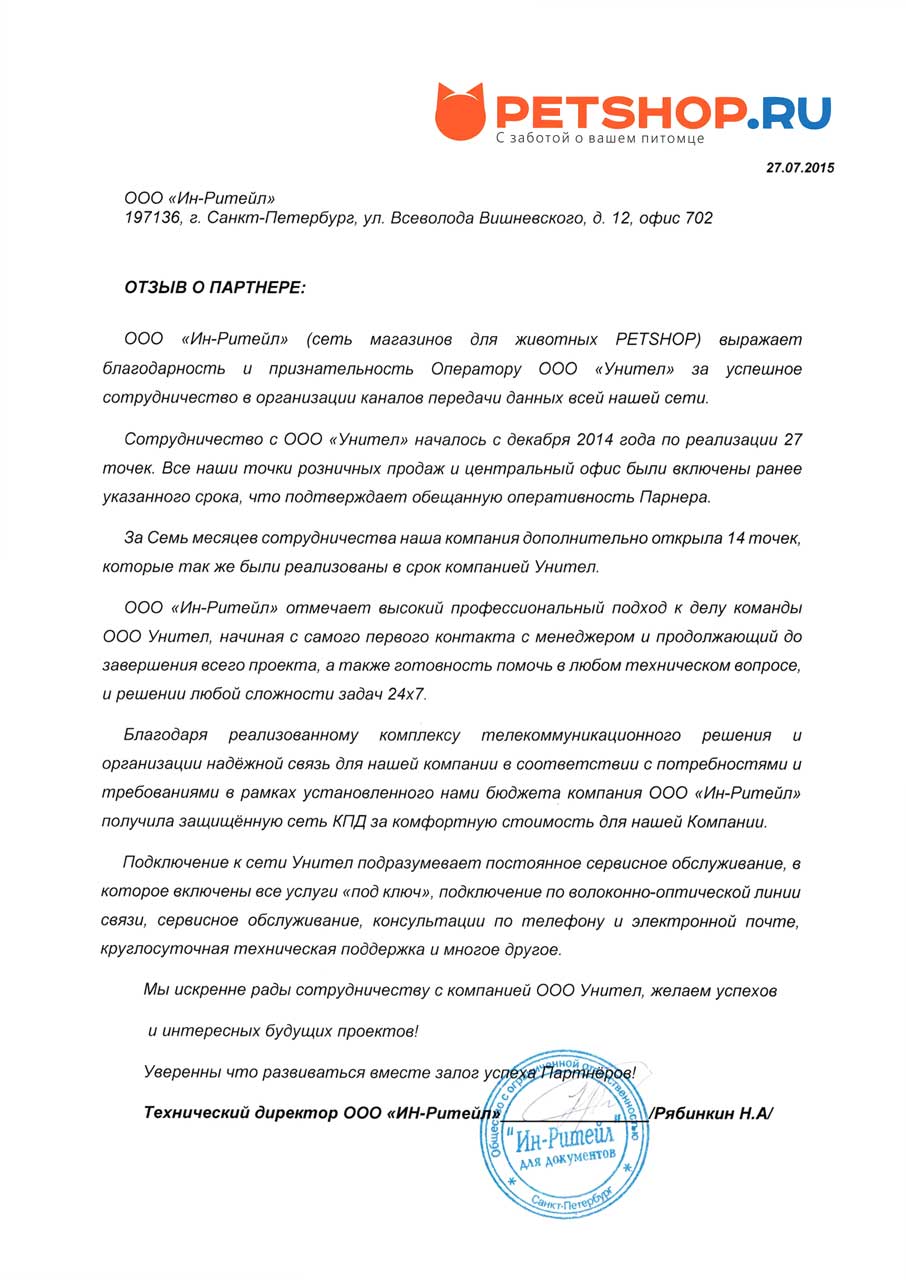
Сотрудничество с ООО «Унител» началось с декабря 2014 года по реализации 27 точек. Все наши точки розничных продаж и центральный офис были включены ранее указанного срока, что подтверждает обещанную оперативность Партнера. За семь месяцев сотрудничества наша компания дополнительно открыла 14 точек, которые также были реализованы в срок компанией Унител.
ООО «Ин-Ритейл» отмечает высокий профессиональный подход к делу команды ООО Унител, начиная с самого первого контакта с менеджером и продолжающийся до завершения всего проекта, а также готовность помочь в любом техническом вопросе и решении любой сложности задач 24х7.
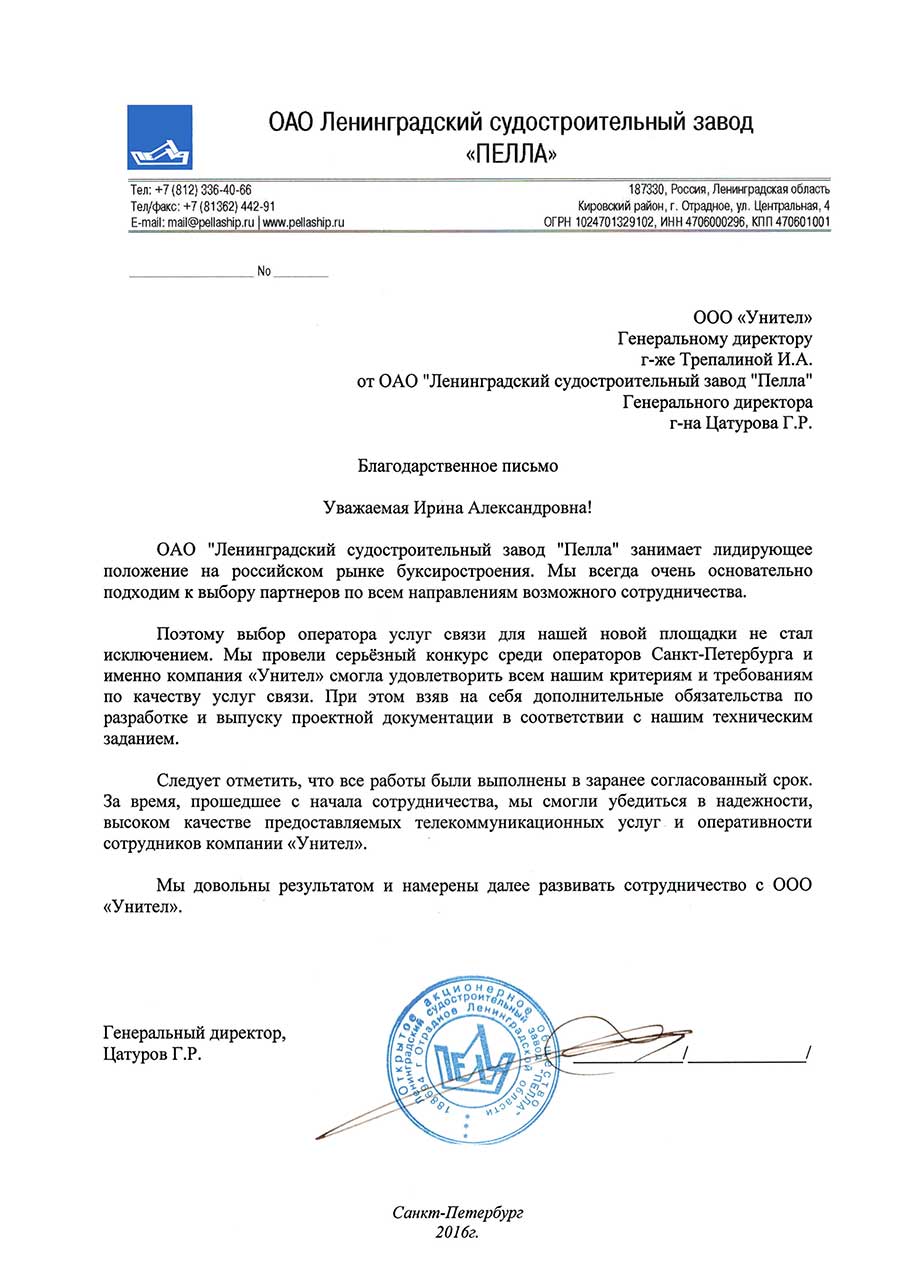
Следует отметить, что все работы были выполнены в заранее согласованный срок. За время, прошедшее с начала сотрудничества, мы смогли убедиться в надежности, высоком качестве предоставляемых телекоммуникационных услуг и оперативности сотрудников компании «Унител».
Мы довольны результатом и намерены далее развивать сотрудничество с ООО.
«Унител».
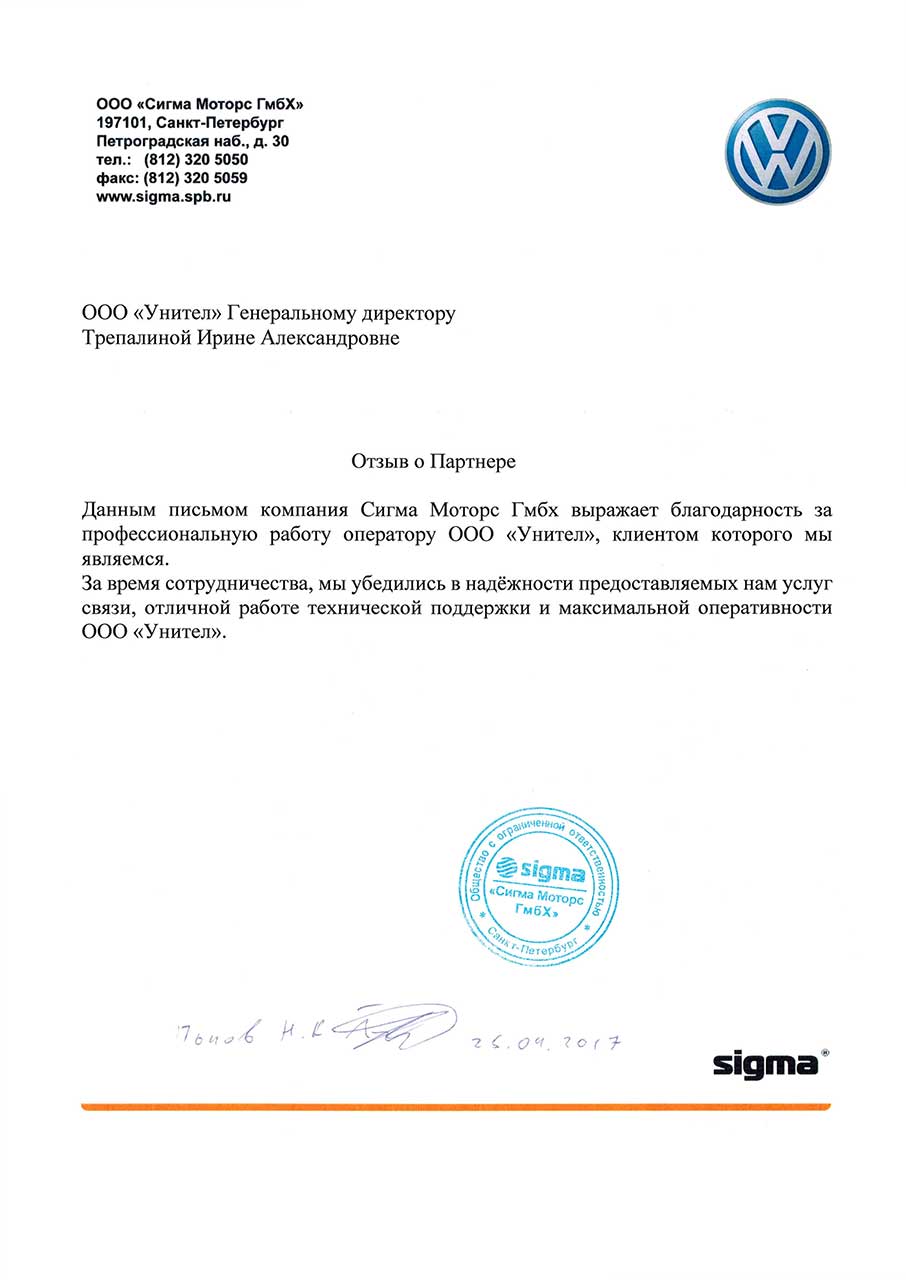
Данным письмом компания Сигма Моторс Гмбх выражает благодарность за профессиональную работу оператору ООО «Унител», клиентом которого мы являемся.
За время сотрудничества, мы убедились в надёжности предоставляемых нам услуг связи, отличной работе технической поддержки и максимальной оперативности 000 «Унител».
Partially true. The online version leaves a background agent. The offline version does not. Once you close the offline installer, it leaves no running services.
Even with the "Best" setup, issues can occur.
Problem 1: "The program asks for an internet connection even though I have the offline version."
Problem 2: "After updating, my screen went black."
Problem 3: "It installed a browser I didn't want."
In the modern computing landscape, a stable and fully functional operating system is heavily dependent on the correct installation of device drivers. These small pieces of software act as translators between the operating system and hardware components such as network adapters, graphics cards, and sound chips. While online driver-update utilities are common, they are useless for systems without an active internet connection. It is in this challenging niche that DriverPack Solution 123 Offline emerges as arguably the best and most comprehensive solution. By bundling a vast library of drivers into a single, executable file, this tool offers unmatched convenience, efficiency, and reliability for installing drivers on offline machines. driverpack solution 123 offline best
The Core Concept: Why Offline Matters
The primary value proposition of DriverPack Solution 123 Offline lies in its name: "offline." Many users take internet connectivity for granted, but numerous scenarios demand offline driver installation. These include fresh installations of Windows on a new hard drive where the Ethernet or Wi-Fi driver is missing; corporate or government computers on isolated, air-gapped networks for security reasons; and systems in remote locations with poor or no internet infrastructure. In these cases, the classic "download the driver from the manufacturer’s website" approach fails because the user cannot access the internet to download the network driver in the first place—a classic catch-22. DriverPack Solution 123 Offline bypasses this problem entirely by providing a complete, self-contained driver database on a USB drive or DVD, making it the definitive tool for such situations.
Comprehensive Hardware Support
What elevates DriverPack Solution 123 Offline to the status of "best" is its sheer breadth of compatibility. The "123" version is renowned for being a lightweight yet surprisingly extensive archive of drivers. It supports a vast range of hardware, including chipsets, audio devices, video cards, printers, scanners, and—most critically—network interfaces (both Ethernet and Wi-Fi). The offline database includes drivers for legacy hardware (e.g., Windows XP-era machines) as well as modern components (Windows 10 and 11). Unlike manufacturer-specific tools that only support one brand, DriverPack Solution is vendor-agnostic. Whether the machine has an Intel, AMD, Realtek, or NVIDIA component, the software scans the hardware IDs and matches them with the appropriate driver from its offline repository. This universal approach eliminates the need for a technician to carry dozens of separate driver CDs or download files from multiple websites.
Ease of Use and Automated Workflow
Another compelling reason to consider this tool the best is its user-friendly, near-automated operation. The interface is designed with simplicity in mind: a single "Install" button. Upon launching the executable, the program automatically scans the system for missing or outdated drivers, ignoring those already correctly installed. The user does not need to know the specific make or model of their motherboard or sound card. For expert users, an "Expert Mode" is available, allowing granular selection of which drivers to install. However, for the average technician or home user, the automatic mode reduces a complex, error-prone process to a few clicks. Furthermore, the tool can also install necessary runtime components like Microsoft .NET Framework, Visual C++ Redistributables, and DirectX, which are often prerequisites for modern games and applications. This all-in-one approach saves hours of troubleshooting.
Comparison with Alternatives
To understand why DriverPack Solution 123 Offline is superior, one must compare it to its competitors. The primary alternative is Snappy Driver Installer (SDI) , which is also excellent and open-source. However, SDI’s full offline index is significantly larger (often exceeding 30 GB), while DriverPack Solution’s offline image is more compressed and manageable (around 15–20 GB for the full version, with lighter versions available). Another alternative is manufacturer bloatware, such as Dell Command Update or Lenovo Vantage, which are useless on non-brand hardware and require an internet connection. Finally, manual driver hunting is slow, requires deep technical knowledge, and risks downloading malware from fake driver sites. DriverPack Solution, when downloaded from the official source, provides a verified, safe, and streamlined alternative that balances size, speed, and coverage.
Potential Drawbacks and Responsible Use
No tool is without its caveats, and a responsible essay must address them. Critics point out that during the online version, the installer may attempt to offer optional software (e.g., antivirus trials or browser extensions). The offline version, however, is typically cleaner, though users should always use the "Expert Mode" to uncheck any unwanted offers. Additionally, because the offline database is a snapshot in time, it may not contain the absolute latest driver versions released after the pack was created. For most stability purposes, however, the drivers included are thoroughly tested and less likely to cause instability than beta drivers. Finally, the sheer size of the offline pack (often exceeding 12 GB) requires a large USB drive or external hard drive, but this is a reasonable trade-off for comprehensive offline access. Partially true
Conclusion
In conclusion, DriverPack Solution 123 Offline stands out as the best tool for its specific domain: driver management on computers without internet access. Its unmatched combination of a vast, vendor-neutral driver database, a simple and automated interface, and the critical ability to break the "no network driver without internet" cycle makes it indispensable for IT professionals, system builders, and advanced home users. While alternatives exist, none offer the same balance of comprehensive coverage, manageable file size, and ease of use in an offline context. For anyone who regularly reinstalls operating systems or maintains computers in isolated environments, keeping a USB drive with DriverPack Solution 123 Offline is not just a convenience—it is a professional necessity. As long as hardware requires drivers and internet connections are not universal, this tool will remain a gold standard in system maintenance.
Go to the official DriverPack website (avoid third-party mirrors that bundle malware). Look for "Offline Full" or "DriverPack Solution 123 Full ISO."
After installation, restart your PC. You will have full resolution, working audio, and network connectivity.









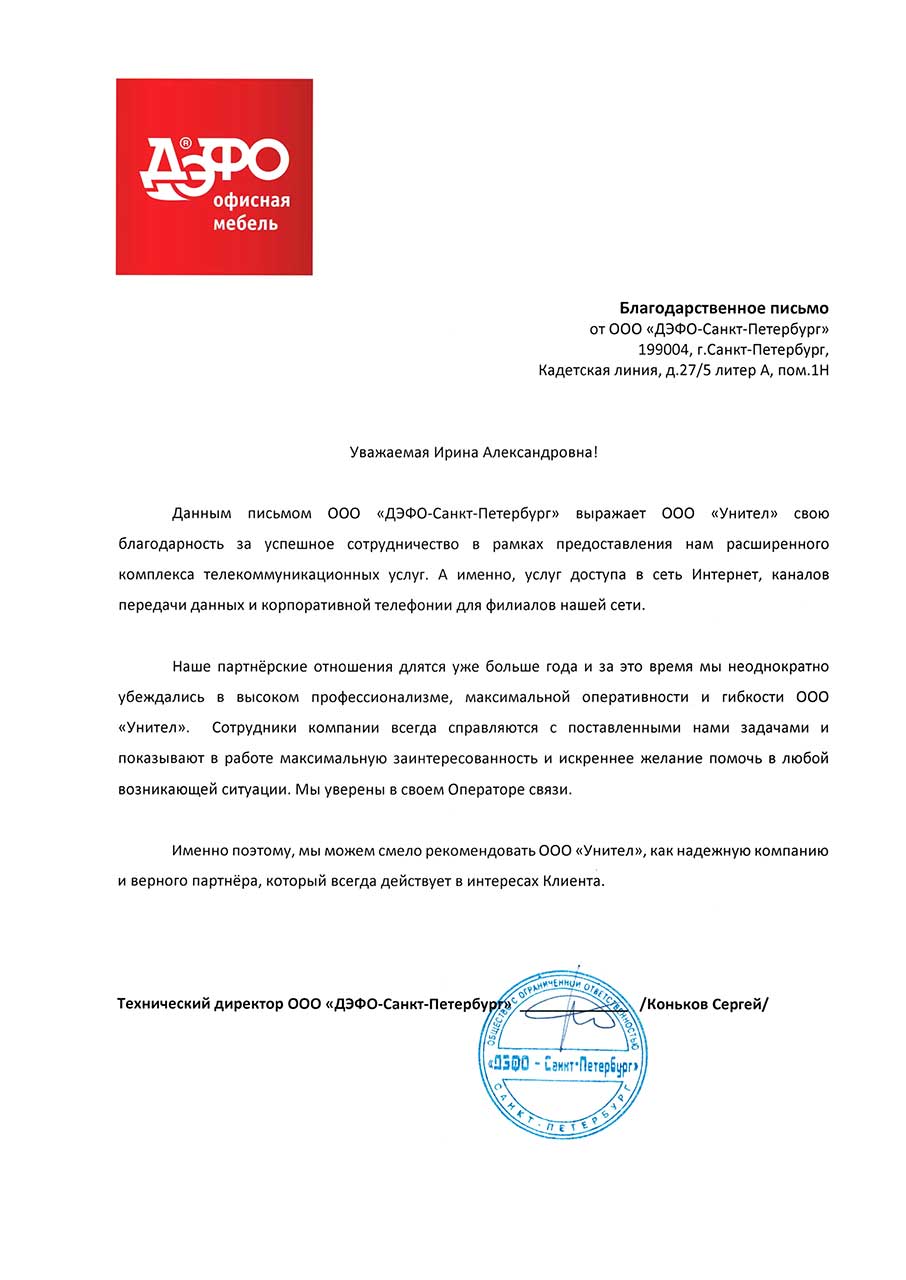
Наши партнерские отношения длятся уже больше года, и за это время мы неоднократно убеждались в высоком профессионализме, максимальной оперативности и гибкости ООО «Унител». Сотрудники компании всегда справляются с поставленными нами задачами и показывают в работе максимальную заинтересованность и искреннее желание помочь в любой возникающей ситуации. Мы уверены в своем операторе связи. Именно поэтому мы можем рекомендовать ООО «Унител» как надежную компанию и верного партнера, который всегда действует в интересах клиента.