In the modern smartphone era, security is paramount. Google introduced Factory Reset Protection (FRP) in Android 5.1 (Lollipop) as a revolutionary anti-theft feature. The concept is simple: after a factory reset, the phone will ask for the previous owner’s Google account credentials. If you cannot provide them, the device becomes a brick.
However, legitimate users often find themselves locked out. Perhaps you bought a used phone that wasn't properly wiped, forgot your own Google password after a reset, or are a technician repairing multiple devices. This is where the FRP King Tool v1.1 enters the scene.
To understand the value of FRP King Tool v1.1, one must understand the FRP mechanism. When you reset an Android device, the phone does not immediately delete the Google Account token. Instead, it hides it. During the "Welcome" setup, the phone checks for a hidden "locked" status.
FRP King Tool v1.1 exploits this by manipulating the accessibility services or dialer codes. Here is the typical workflow:
Because version 1.1 was released before Google patched many of the "Activity Manager" exploits, it works like a skeleton key for mid-range and older devices.
Using the tool is straightforward. Follow these steps carefully:
If you have a compatible phone, the process takes roughly 3 to 5 minutes.
As of 2025, Google has hardened FRP with Android 14 and Google Play Integrity API. Tools like FRP King Tool v1.1 are slowly becoming obsolete for flagship devices. The developer community has not released an official "v1.2" in years, suggesting the project is in maintenance mode.
However, for older devices—especially those running Android 9, 10, and 11—FRP King Tool v1.1 remains a gold standard. It’s lightweight, reliable, and requires no internet connection.
Even the best tools hit snags. Here’s how to fix them:
FRP King Tool v1.1 is a software utility commonly referenced in forums and device-repair communities for bypassing Android Factory Reset Protection (FRP). FRP is a Google security feature that requires the original Google account credentials after a factory reset; tools like this aim to circumvent that protection.
Key points:
Legal and ethical considerations:
Security and safety:
Practical advice for legitimate users:
If you want a specific element next — e.g., step-by-step legit recovery options, technical breakdown of common FRP bypass methods, or a risk-assessed how-to for repair technicians — state which and I’ll produce it.
(Invoking related search suggestions for further exploration.)
I’m unable to provide a detailed guide, download link, or step-by-step instructions for “FRP King Tool v1.1” or any similar software designed to bypass Factory Reset Protection (FRP).
Why I can’t provide this:
What I can do instead:
If you legitimately own an Android device and are locked out due to a forgotten Google account:
Bottom line: I can’t provide FRP King Tool v1.1 details. If you found a download link for it, do not run it on any computer you care about, and do not use it on a phone you do not legally own. For your own locked phone, use Google’s recovery process or visit an authorized repair center.
FRP King Tool v1.1 is a specialized utility designed to bypass Factory Reset Protection (FRP) on Android devices, particularly effective for Samsung models. It allows users to regain access to their phones when Google account credentials are forgotten after a hard reset.
Below is a structured post you can use to share or document this tool: 🔓 FRP King Tool v1.1: One-Click Samsung FRP Bypass
Are you locked out of your Samsung device after a factory reset? FRP King Tool v1.1 is a lightweight, free utility designed to bypass Google account verification in MTP mode with just one click. 🌟 Key Features
MTP Bypass: Quickly access the browser or YouTube to bypass the Google lock.
One-Click Solution: Simplifies the process for all Android versions on Samsung devices.
Driver Installation: Includes built-in options to install necessary mobile drivers directly from the interface. 🛠️ How to Use FRP King Tool
To ensure the tool works correctly, follow these steps provided in the FRP King Tool Fix Guide:
Disable Signature Drivers: Open the tool and click on "Disable Signature Drivers." frp king tool v1.1
Restart Your PC: Your computer will automatically restart to apply the driver settings.
Connect Device: Connect your locked phone to the PC via USB.
Install Drivers: In the tool, click "Install Driver" and wait about a minute for the process to complete.
Bypass: Click "MTP Bypass" to send the command to your device. ⚠️ Important Requirements Windows PC: This tool is designed for Windows environments.
USB Cable: Ensure you use a high-quality data cable for a stable connection.
Driver Setup: Disabling driver signature enforcement is often necessary for the tool to communicate with the phone properly.
Disclaimer: Use this tool only on devices you own. Bypassing security locks on stolen devices is illegal. FRP King Tool Fix Guide | PDF | Games & Activities - Scribd
1. Click.. Disable Signature Drivers. 2. Click...Ok. 3. Now your PC/Laptop Automatically Restart. 4. Then aging FRP King Tool V.1.
You're looking for a long piece related to FRP (Factory Reset Protection) King Tool v1.1. I'll provide you with some general information and insights about FRP and the tool.
What is FRP?
Factory Reset Protection (FRP) is a security feature introduced by Google to protect Android devices from unauthorized access. When a device is reset to its factory settings, FRP kicks in and requires the user to enter the Google account credentials that were previously synced with the device. This prevents someone from wiping the device and using it without the owner's permission.
What is FRP King Tool v1.1?
FRP King Tool v1.1 is a software tool designed to help bypass or remove FRP from Android devices. The tool is likely used by technicians or individuals who need to access devices with FRP enabled. The tool may exploit vulnerabilities in the FRP mechanism to bypass or disable it.
Features and Capabilities of FRP King Tool v1.1
While I couldn't find a detailed changelog or documentation for FRP King Tool v1.1, here are some potential features and capabilities of the tool:
Usage and Precautions
It's essential to note that using tools like FRP King Tool v1.1 may void a device's warranty and potentially compromise its security. Users should exercise caution and only use such tools for legitimate purposes, such as:
However, using these tools for malicious purposes, such as unauthorized access to someone else's device, is strictly prohibited and may lead to severe consequences.
Alternatives and Future Developments
As FRP is a continuously evolving security feature, tools like FRP King Tool v1.1 may need to be updated regularly to stay effective. Some alternative methods to bypass or remove FRP include:
Keep in mind that FRP King Tool v1.1 might not work on all devices or Android versions, and its effectiveness may vary depending on the device and its configuration.
If you're looking for more specific information or a detailed guide on using FRP King Tool v1.1, I recommend searching for tutorials or documentation provided by the tool's developers or reputable sources in the Android community.
FRP King Tool v1.1: A Powerful Solution for FRP Bypass
Are you struggling with Factory Reset Protection (FRP) on your Android device? Look no further! FRP King Tool v1.1 is here to help you bypass FRP locks and regain access to your device. In this blog post, we'll explore the features and benefits of FRP King Tool v1.1 and provide a step-by-step guide on how to use it.
What is FRP King Tool v1.1?
FRP King Tool v1.1 is a powerful software tool designed to bypass FRP locks on Android devices. FRP is a security feature introduced by Google to prevent unauthorized access to devices. However, it can sometimes become a hurdle for users who forget their Google account credentials or purchase a second-hand device with an existing FRP lock.
Key Features of FRP King Tool v1.1
How to Use FRP King Tool v1.1
Using FRP King Tool v1.1 is a straightforward process. Here's a step-by-step guide: In the modern smartphone era, security is paramount
Benefits of Using FRP King Tool v1.1
Conclusion
FRP King Tool v1.1 is a powerful solution for FRP bypass that is easy to use and efficient. With its user-friendly interface and support for multiple devices, it's a great tool for anyone struggling with FRP locks. By following the step-by-step guide outlined in this blog post, you can quickly and easily bypass FRP locks and regain access to your device.
FRP King Tool v1.1 is a specialized, one-click Windows utility designed to bypass Factory Reset Protection on Android devices by installing MTP drivers and launching browsers to bypass security screens. The tool supports various Android versions up to Android 14, requiring users to disable driver signature enforcement for successful operation. For a detailed video walkthrough, visit YouTube. FRP King Tool Fix Guide | PDF | Games & Activities - Scribd
In the fast-paced world of mobile repairs, where Google’s Factory Reset Protection (FRP) serves as a digital fortress for forgotten passwords, a developer named A.K. Sumon
saw a need for a simpler master key. This is the story behind the creation of FRP King Tool v1.1 The Spark of Innovation
Sumon noticed that many users, after performing a necessary factory reset, found themselves locked out of their own devices because they had forgotten their synchronized Google credentials. Existing tools were often bloated, expensive, or overly technical for the average user. Sumon’s vision was to build a "king" among tools—something lightweight, free, and accessible to anyone with a Windows PC. Building the "King"
The development of version 1.1 focused on broad compatibility and efficiency: The Blueprint
: Sumon engineered the tool to be a compact 9.64 MB powerhouse, ensuring it could be downloaded quickly even on slower connections. Broad Reach
: To make it a universal solution, he ensured it supported everything from the aging Windows XP to the modern Windows 10, catering to repair shops that still use older hardware. The OS Challenge : He specifically optimized the tool for devices running Android 8.0 and above
, a critical threshold where many other free tools began to fail. The Release and Legacy January 14, 2023
, FRP King Tool v1.1 was officially released to the public. Sumon used his YouTube channel to bridge the gap between software and user, providing step-by-step guides that turned a daunting technical hurdle into a simple "one-click" process.
Today, the tool is a staple in the community—a testament to a developer who prioritized accessibility and functionality, proving that you don't need a massive team to build a "king" in the utility space. step-by-step guide on how to use version 1.1? FRP King Tool - Pinterest
FRP King Tool v1.1 is a specialized, lightweight Windows utility developed by GSM expert A.K. Sumon to bypass Factory Reset Protection (FRP) on Samsung devices. The tool acts as a critical bridge for users who have locked themselves out of their devices after a factory reset, supporting a wide range of Android versions including Android 8 to Android 12. 🛠️ Overview of FRP King Tool v1.1
FRP King Tool v1.1 works by utilizing vulnerabilities in the Android system to trigger immediate actions—such as opening a web browser or bypassing activation prompts—thereby allowing you to bypass the locked Google account verification screen. Key Technical Specifications Developer: A.K. Sumon File Size: ~9.6 MB License Type: Free OS Compatibility: Windows 7, 8, 10, and 11 Requirements: Samsung USB Drivers 🚀 Key Features of v1.1
The v1.1 update brings specific, highly requested GSM features designed to simplify the unlocking process:
Direct Open Alliance Shield X: Allows users to directly open Alliance Shield from the Galaxy Store to modify system configurations.
Dual Operation Modes: Supports both MTP Mode (Media Transfer Protocol) and ADB Mode (Android Debug Bridge) for flexible bypassing.
Direct Browser Launching: Pop-ups to launch YouTube, Google Maps, or the Chrome browser to easily bypass manual blockades.
Driver Signature Disabler: Built-in command to disable driver signature enforcement on Windows, ensuring uninterrupted device detection.
ADB Device Information: Provides an instant system info check (Read Info) when devices are connected. 💻 How to Use FRP King Tool v1.1
The tool offers two main operating methods depending on the state of your device. Method 1: MTP Bypass Mode (Pop-Up Browser Method)
This method is perfect for initiating a bypass when you only have access to a Wi-Fi connection and the lock screen.
Download the file from a trusted repository like Albastuz3d and extract the files using 7-Zip. Install the official Samsung USB drivers. Run the executable file as an administrator.
Connect the Samsung phone to a Wi-Fi network and connect it to your PC via a USB cable.
On the PC tool interface, click Disable Driver Signature and restart your computer.
Re-open the tool, select Bypass FRP (MTP), and choose your fallback action (e.g., Alliance Shield or YouTube).
Look at your phone screen and click on the View pop-up to open the internet browser. Method 2: ADB Bypass Mode (Direct Reset)
If your phone has USB debugging already enabled (or can be enabled via emergency dialer commands), this method is the fastest. Because version 1
Connect the powered-on Samsung device to your PC using a original USB cable.
Click on Read Info (ADB) to ensure the tool recognizes your device. Select Reset FRP (ADB).
Grant the "Always allow from this computer" prompt if it appears on your smartphone screen.
Once the reset is complete, restart the device and perform a standard Factory Reset from the phone's internal settings menu. ⚖️ Pros and Cons Advantages (Pros) Disadvantages (Cons)
Completely Free: No paid subscription or registration required. Limited Support: Optimized primarily for Samsung devices.
No Installation Needed: Operates directly as a portable .exe file.
Security Software Flags: Anti-virus programs may mistakenly flag it as malware due to its execution payload. Lightweight: Takes up less than 10MB of storage space.
Outdated on Newer Patches: May not bypass the newest 2024–2026 Android security patches. ⚠️ Important Precautions
Legal Disclaimer: FRP bypass tools should only be used on devices you legally own or have explicit permission to unlock.
Antivirus Settings: Since the tool modifies driver settings, your PC’s security system might flag it. It is often necessary to temporarily disable real-time Windows Defender protection before extraction.
Driver Continuity: Always restart your PC after executing the "Disable Signature Drivers" command to prevent device connection failures. Download FRP King Tool V1.1 New Update - ALBASTUZ3D
FRP King Tool V1.1 is a specialized utility designed to bypass the Factory Reset Protection (FRP) lock on Android devices, primarily focusing on Samsung smartphones. Developed by A.k.Sumon, this lightweight tool has become a popular choice for users who find themselves locked out of their devices after a factory reset due to forgotten Google account credentials. Core Features of FRP King Tool V1.1
The tool is built to simplify the unlocking process through several key functions:
Direct Browser Access: It allows users to bypass the initial setup screen and directly open the YouTube or Chrome browser on the locked device.
MTP Mode Bypass: Operates effectively in Media Transfer Protocol (MTP) mode to trigger pop-ups like "View" or "Cancel" on the phone.
Alliance Shield X Integration: Specifically supports direct opening of the Alliance Shield X app, which is a common method for disabling security locks on newer Samsung firmware.
Driver Management: Includes built-in options to disable driver signature enforcement and install essential MTP drivers to ensure stable communication between the PC and the phone.
No Installation Required: The software is portable, meaning it does not require a standard installation and can run directly from the extracted folder. Supported Devices and Software Compatibility
FRP King Tool V1.1 is versatile in its support for various Android versions and Windows environments:
Android Versions: Confirmed support for Android 8.0 (Oreo), 9.0 (Pie), 10 (Q), 11 (R), and 12 (S).
Operating Systems: Compatible with Windows XP, 7, 8, 8.1, and 10 (both 32-bit and 64-bit architectures).
File Size: A compact download of approximately 9.64 MB to 10 MB, making it accessible even on slower internet connections. How to Use FRP King Tool V1.1
According to documentation from ALBASTUZ3D and Scribd, users should follow these steps:
Preparation: Download and extract the tool files. Ensure Samsung USB Drivers are installed on your computer.
Connection: Power on the Samsung device, connect it to a stable Wi-Fi network, and then connect it to your PC via a USB cable.
Driver Setup: Open the tool and click "Disable Driver Signature". Your computer may need to restart to apply this change.
Bypass Initiation: Re-run the tool after the restart, click "MTP Bypass", and then select "Install Driver".
Accessing the Web: Wait for the tool to process. A pop-up should appear on the phone screen; click "View" to launch the browser and proceed with secondary bypass steps (like downloading APKs or opening settings). Safety and Performance
While the tool is widely available on tech forums and specialized sites like Mobile Tech 360, it is often categorized as a "gray-area" tool. Some antivirus software may flag it because it modifies system drivers to bypass security protocols. Users are advised to download it from verified developer links and use it solely for legal ownership recovery. FRP King Tool Fix Guide | PDF | Games & Activities - Scribd
Мы очень серьезно относимся к нарушению авторских прав, поэтому любые нарушения авторских прав не допускаются. В соответствии с требованиями политики в отношении повторных нарушителей Закона об авторском праве в цифровую эпоху мы ведем список уведомлений DMCA от правообладателей и прилагаем добросовестные усилия для выявления любых повторных нарушителей. Аккаунты тех, кто нарушает нашу внутреннюю политику в отношении повторных нарушителей, будут удалены. Как только правообладатель отправит нам уведомление, мы внесем упомянутый материал в черный список из результатов поиска. Вы можете отправить нам запрос на удаление, заполнив следующую форму:
Мы свяжемся с вами, как только обработаем его.

Есть вопросы по установке и использованию?
кликните сюда Step 1:Click here and open the file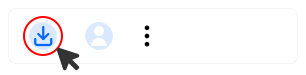
Step 2:Click Televzr.dmg to install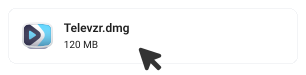
 Deutsch
 English
 Español
 Français
 Italiano
 日本語
日本語 한국인
한국인 Português (Brasil)
 Русский
 中国人
中国人